Choose Your Phone
IPHONE
ANDROID
How to download App for IPhone
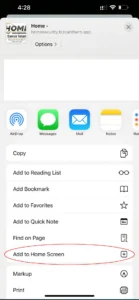
2. Scroll down to “Add to Home Screen” and tap it.
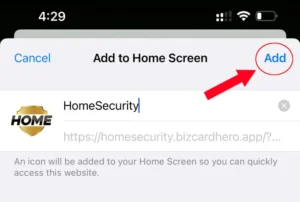
3. Tap “Add”
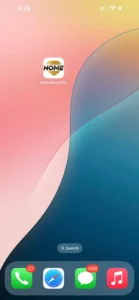
4. Check your homescreen for the App.
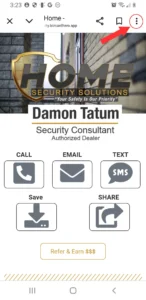
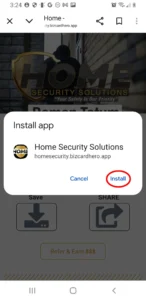
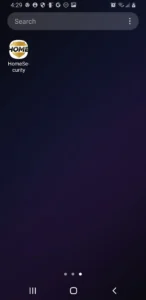
How to download App for Android
2. Tap “Add to Home Screen”
4. Check your Home Screen for the App Icon
Powered By BizCard Hero
Even though our site is under construction, we are still open for business. Actually, this is the best time to work with us and take advantage of our introductory savings.
Please Scan Below